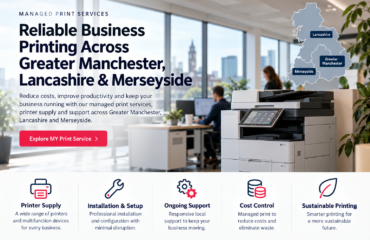
Should your business choose an inkjet printer subscription or an A3 photocopier? The right choice depends on print volume, paper sizes, scanning needs and the number of people using the device. This guide compares the options for offices in Greater Manchester, Lancashire and Merseyside.
Business inkjet subscriptions
A compact multifunction inkjet can suit a smaller office that mostly prints A4 documents and needs occasional copying or scanning. Ask about replacement inks, support, paper capacity and connectivity. The MY Print Service Business offering is an example of this category.
A3 photocopier services
A shared A3 multifunction photocopier can suit a busier team producing drawings, spreadsheets or presentation packs. Ask about duplex scanning, automatic document feeders, network setup and ongoing servicing.
Check the real monthly cost
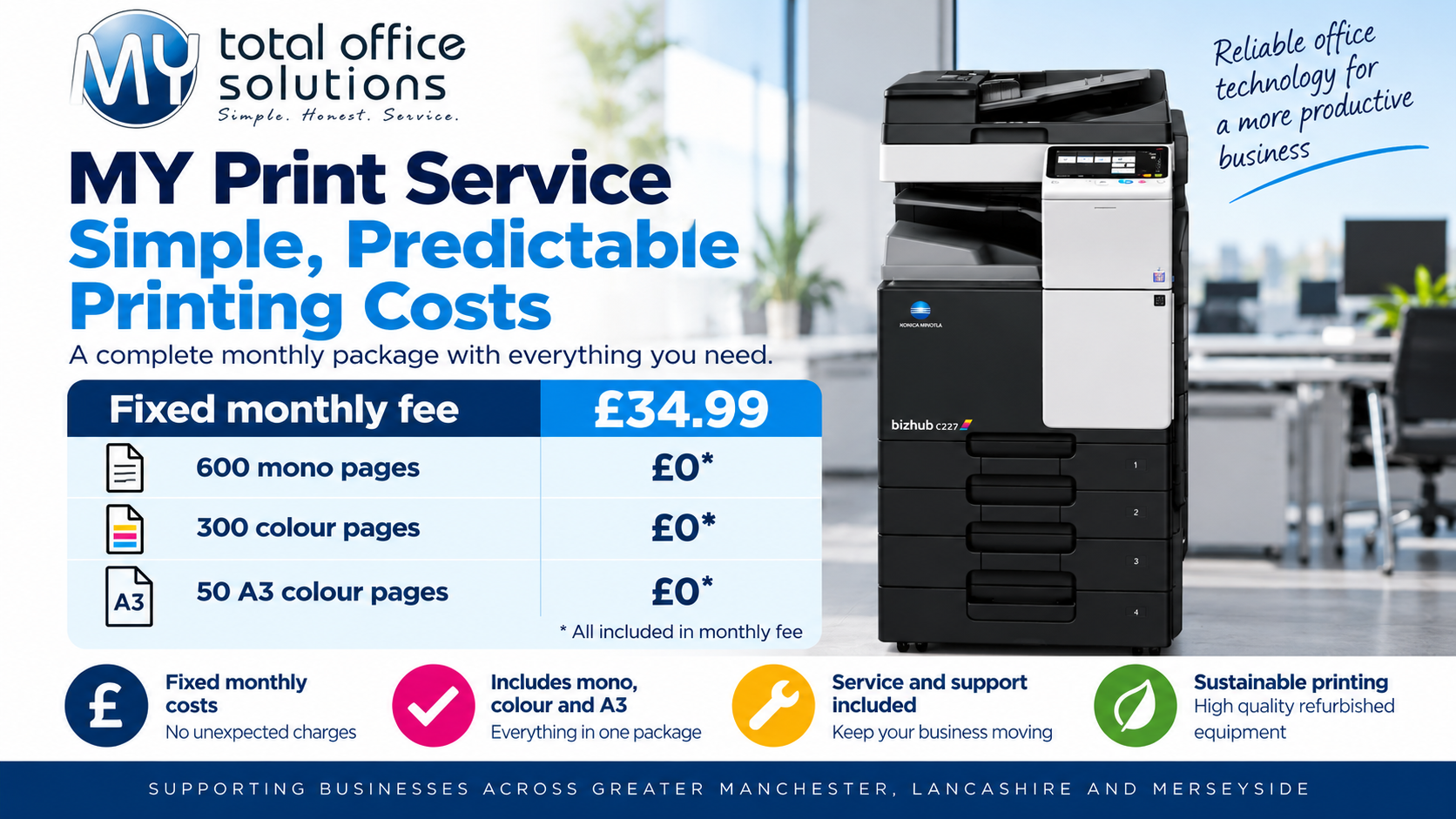
Compare the fixed fee, included page allowances, consumables, maintenance and excess printing charges. MY Print Service advertises a £34.99 monthly package including 600 mono, 300 colour and 50 A3 colour pages at no additional charge within those allowances. Check VAT, usage terms and suitability for your office.
How to choose: six practical checks
1. Map the paper sizes your team actually uses
If almost everything is A4, a compact business multifunction device may meet your needs. If your team regularly handles A3 drawings, floor plans, large spreadsheets or presentation layouts, check that the device can both print and scan A3 rather than merely accept A3 originals through a feeder.
2. Count real monthly usage
Review at least three months of meter readings or purchasing records. Separate mono A4, colour A4 and A3 output; occasional high-volume jobs can change the most economical choice. Ask how duplex pages, A3 sheets and colour impressions are counted, and what happens when an allowance is exceeded.
3. Consider the people using the device
A desktop device can be convenient for a small team, whereas a shared copier may be better for departments with multiple users. Ask whether the service includes network installation, scan-to-email or scan-to-folder setup, user access controls and support for your existing devices. Confirm compatibility with your IT provider before signing.
4. Look beyond the headline monthly fee
Compare like for like: equipment, toner or ink, call-outs, maintenance, replacement parts, delivery, installation, VAT and excess-page rates. Ask whether paper is included (it often is not). The cheapest advertised monthly price is not always the lowest total operating cost.
5. Check support and downtime arrangements
Find out who responds when a printer fails, what remote support is available, whether replacement equipment can be supplied and whether your staff will be expected to troubleshoot faults. For businesses in Greater Manchester, Lancashire and Merseyside, confirm that the supplier covers your actual postcode.
6. Read the cancellation terms
Check the minimum contract period, notice requirements, equipment ownership and return arrangements. A flexible monthly service may suit a growing or relocating business better than a lengthy lease. Always request the full written terms before committing.
Which option suits different offices?
| Office requirement | Usually worth considering | Question to ask |
|---|---|---|
| Small team, mainly A4 documents | Business inkjet multifunction service | Are inks, support and scanning included? |
| Regular A3 documents or technical drawings | A3 multifunction photocopier | Does it scan and print A3 at the required quality? |
| Several staff sharing one machine | Networked multifunction copier | Are user permissions and network setup supported? |
| Variable monthly print volumes | Flexible managed print package | What are the excess-page and cancellation terms? |
How MY Print Service fits in
MY Total Office Solutions offers different print-service options for businesses and home users. Compare the MY Print Service Business option with the MY Print Service Copier service, and review the home print service if your needs are smaller. Package availability, inclusions and eligibility should always be confirmed directly.
For more guidance, read our office printing cost calculator, A3 versus A4 photocopier guide and copier agreement checklist. Those articles cover cost modelling, format choice and contracts in greater depth; this guide focuses on choosing between device types and support models.
Frequently asked questions
Is an A3 copier automatically better than an inkjet printer?
No. It depends on volume, document size, scanning, space, speed and support requirements. A well-supported A4 device can be a better fit for a small office that rarely needs A3.
Can I compare services without knowing my exact print volume?
Yes. Start with a rough monthly estimate, but request meter readings or print reports where possible. Ask suppliers to show costs at your expected usage and at a higher-volume scenario.
Does a monthly fee always include every printed page?
No. Check included allowances, excess rates and how A3 and colour pages are counted. Do not assume all printing is unlimited.
Does MY Print Service cover Greater Manchester, Lancashire and Merseyside?
These are the core areas discussed in this guide. Confirm availability and response arrangements for your individual business postcode before ordering.
Get a practical recommendation
Rather than choosing solely by printer type, share your approximate monthly A4 and A3 volumes, colour usage, number of users and scanning requirements with MY Total Office Solutions. That gives the team the information needed to recommend a suitable service without overspecifying equipment.